Last updated: September 24, 2026 · Originally published: May 26, 2026 · By Alex Petrov
:
- What This Calculator Does
- Why Most Rent-vs-Buy Comparisons Miss the Point
- How to Use the Rent vs Buy Calculator
- What Break-Even Year Means
- Net Wealth vs Monthly Payment
- When Buying Usually Makes More Sense
- When Renting Might Be Smarter
- A Quick Example
- Common Mistakes People Make
- What the Calculator Cannot Tell You
- Related Tools
- FAQ
The rent vs buy calculator at RealCalc compares two housing paths over a chosen time horizon. One path builds equity through a mortgage. The other keeps capital liquid and potentially invested. Neither path is automatically better. The result depends on your assumptions, your timeline, and your life.
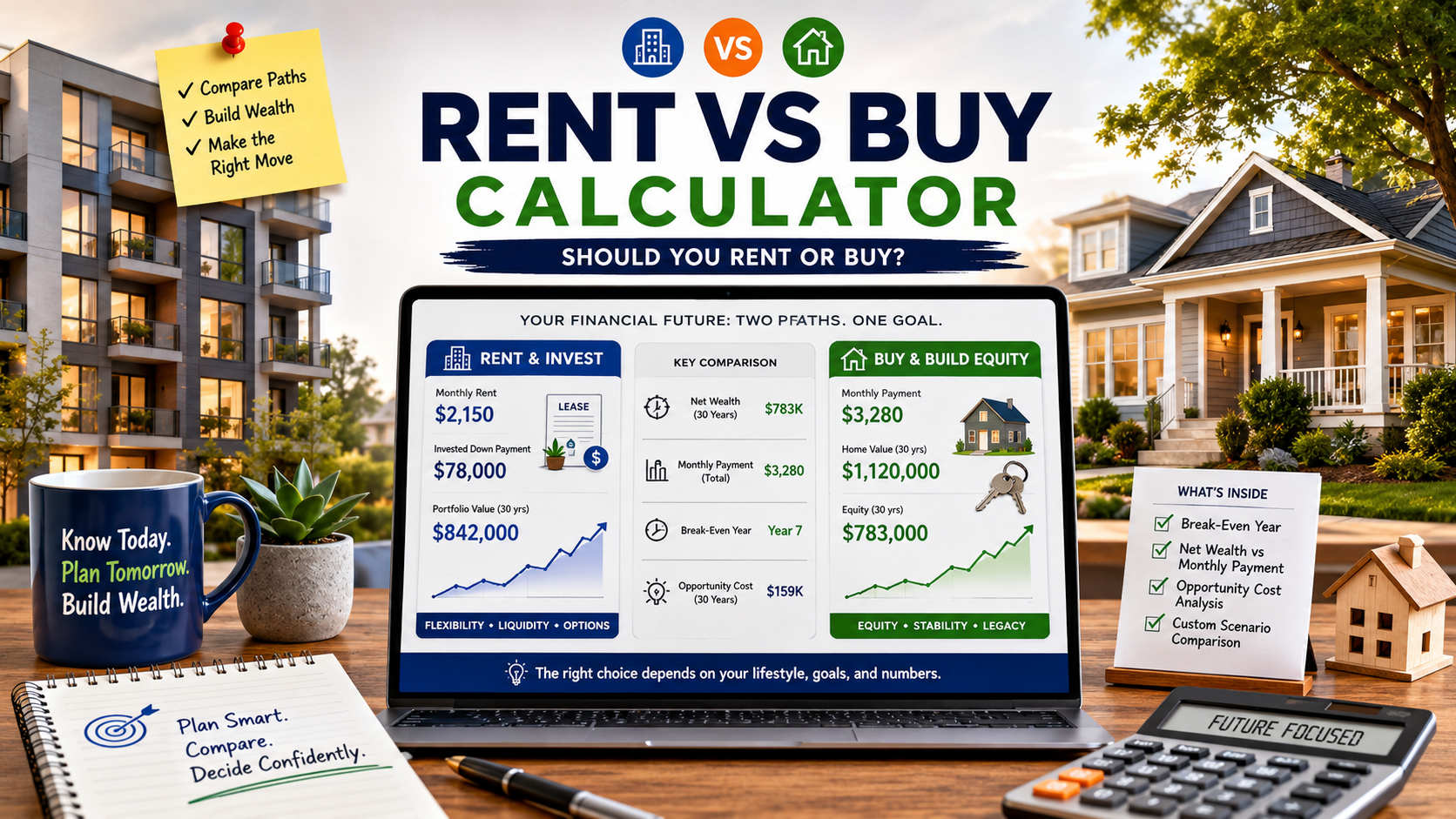
I built this rent vs buy calculator because the question “should I rent or buy” kept coming up in conversations with friends, family, and colleagues. Everyone had an opinion. Few had run the numbers. This buying vs renting calculator helps you run them.
What the Rent vs Buy Calculator Actually Does
The rent vs buy calculator compares projected net wealth under two scenarios over your selected hold period. Buying a home means building equity through loan payments and potential appreciation. Renting means paying for housing without building home equity, but potentially keeping your down payment capital available for other uses.
Three modes give you different levels of detail:
| Mode | What It Does | Best For |
|---|---|---|
| Standard | Basic buy vs rent comparison without investment modeling | Quick first look |
| Detailed | Adds opportunity cost — what your down payment could earn if invested | More thorough comparison |
| Lifestyle | Layers in mobility, maintenance tolerance, customization, and stability preferences | When non-financial factors matter |
Standard mode is fast. Detailed mode is more informative because the rent vs buy calculator accounts for the investment potential of your down payment in this mode. Lifestyle mode adds subjective factors that a spreadsheet cannot fully capture.
Why Most Rent-vs-Buy Comparisons Miss the Point
Here is what trips people up. When you put $80,000 toward a down payment, that money is no longer available for other uses. It sits in your home as equity. If you had rented instead, that $80,000 could have been invested.
How much difference does this make? Over a seven-year period, $80,000 invested at a moderate return grows meaningfully. The gap between “money in a house” and “money in a portfolio” can shift the entire rent-vs-buy answer.
Most simple rent-vs-buy tools skip this part. They compare monthly mortgage payments with monthly rent and call it a day. That approach makes buying look more attractive than it may actually be, because it ignores what else you could do with the capital.
The Detailed mode in this rent vs buy calculator models both paths: buying (equity growth through appreciation and loan paydown) and renting plus investing (portfolio growth on the capital you did not lock into a house). That is the comparison that matters.
How to Use the Rent vs Buy Calculator Step by Step
Step 1: Enter comparable housing costs. Open the rent vs buy calculator and type in the purchase price of the home you are considering and the monthly rent for similar housing in the same area. The key word here is similar. Comparing a four-bedroom house purchase with a studio apartment rental gives you a meaningless result.
Step 2: Set your hold period. How long do you plan to stay? This single input changes the result more than almost anything else. Short stays are more sensitive to transaction costs. Longer stays give mortgage paydown and appreciation more time to work.
Step 3: Enter mortgage and ownership assumptions. Plug in the mortgage rate from an actual lender quote if you have one. Add property tax, insurance, HOA, maintenance, closing costs, and selling costs. Replace defaults with real numbers wherever possible.
Step 4: Switch to Detailed mode. This is where the rent vs buy calculator becomes more useful. Click the Detailed tab to include opportunity cost. Enter an investment return assumption. This is not a guaranteed return. It is a scenario input. Try multiple values to see how the answer changes.
Step 5: Review the result. Look at break-even year, final net wealth for each path, and the wealth difference. The status badge (green, blue, amber, red) gives a quick visual summary, but it is a screening label, not a recommendation.
Step 6: Try Lifestyle mode. If job mobility, maintenance hassle, desire to customize, or stability matter to you, add those weights. Sometimes the financial answer says one thing and the lifestyle answer says another. Both are valid.
What Break-Even Year Means and Why It Matters
In the comparison tool, break-even year is the first year when the buy path’s modeled net wealth catches up to the rent path and stays ahead through the rest of your hold period. That second part matters. A temporary crossover that reverses the next year does not count.
Why does this metric matter more than monthly payment comparisons? Because monthly payment tells you about cash flow. Break-even year tells you about wealth accumulation. You can have a lower monthly payment and still end up with less wealth, or vice versa.
A break-even year early in your hold period means the buy path pulls ahead quickly. A break-even year near the end means the advantage is thin. No break-even within the hold period means renting comes out ahead under the assumptions you entered.
Understanding Net Wealth vs Monthly Payment
A common mistake people make before using this tool: “My mortgage payment is about the same as my rent, so buying must be better.” Not necessarily.
When you buy, part of your payment goes to principal (builds equity), part goes to interest (gone), and the rest goes to taxes, insurance, and maintenance (also gone). Meanwhile, your home may appreciate. When you sell, you pay selling costs. What remains is your buy-side net wealth.
When you rent, your entire payment goes to the landlord. But your down payment money could be growing elsewhere. Your monthly savings (if rent is cheaper than PITI plus maintenance) could also be invested. What accumulates is your rent-side net wealth.
the calculator compares these two net wealth figures year by year. That is a fundamentally different question than “which monthly payment is lower.”
When Buying Usually Makes More Sense
Certain conditions tend to favor buying in this tool. None of these are guarantees, but patterns emerge when you run enough scenarios.
- Longer hold periods. Transaction costs (closing plus selling) take time to amortize. The longer you stay, the less they drag on your result.
- Stable location plans. If you are confident about staying five to ten years or more, the buy path has more time to build equity.
- Lower mortgage rates. A lower rate means more of each payment goes to principal and less to interest. That accelerates equity growth.
- Rising rents. If rents climb steadily, the renter’s costs compound while the buyer’s mortgage payment stays fixed.
- Modest investment return assumptions. If you would not realistically invest the down payment, the opportunity cost argument weakens.
However, none of these factors exist in isolation. Run your numbers through the calculator with actual assumptions before drawing conclusions.
When Renting Might Be the Smarter Move
Renting can come out ahead in ways that surprise people. The comparison tool reveals scenarios where renting tends to win.
- Short hold periods. Buying and selling a home within two or three years often means transaction costs eat any equity gains.
- High mortgage rates. When rates are high, more of each payment goes to interest. Equity builds slowly.
- Career uncertainty. If a job change or relocation could shorten your stay, the risk of a forced short-hold sale increases.
- Strong investment discipline. If you would genuinely invest the down payment and monthly savings, the opportunity cost is real and large.
- Expensive maintenance markets. Older homes in harsh climates can have maintenance costs that surprise first-time buyers.
The point is not that renting always wins in these cases. The point is that it might. Run this tool with a shorter hold period or a higher rate to see how sensitive the result is.
A Quick Example
Here is an illustrative scenario using the calculator. These numbers are for demonstration only.
| Input | Value |
|---|---|
| Home Price | $400,000 |
| Monthly Rent (comparable) | $2,500 |
| Hold Period | 7 years |
| Down Payment | 20% ($80,000) |
| Closing Costs | 3% ($12,000) |
| Mortgage Rate | 6.75% |
| Appreciation | 3.5%/yr |
| Investment Return (Detailed mode) | 7% |
In Standard mode, the buy path tends to pull ahead because equity builds through both appreciation and loan paydown. However, switching to Detailed mode changes the picture. The renter’s $92,000 in initial capital (down payment plus closing costs) grows in a portfolio. Monthly cost differences also compound.
The break-even year often shifts later in Detailed mode. In some scenarios, depending on exact inputs, the rent path stays ahead for the entire seven years. In others, buying still wins but by a smaller margin.
The takeaway is not that one answer is correct. The takeaway is that the mode you choose changes the result, and Detailed mode captures something that Standard mode ignores.
Five Common Mistakes People Make
1. Ignoring opportunity cost. This is the most common issue this tool helps surface. The down payment is not free money. If you would realistically invest it, that growth belongs in the comparison. Detailed mode handles this.
2. Comparing non-equivalent homes. A rent-vs-buy analysis only makes sense when the rental and the purchase are similar in size, location, quality, and commute. Comparing a $500K suburban house to a $1,200 downtown studio tells you nothing useful.
3. Underestimating transaction costs. Closing costs on purchase and selling costs on exit can total 8% to 10% of the home’s value. On a $400K home, that is $32K to $40K in friction that must be overcome before buying pulls ahead.
4. Assuming an unrealistic hold period. Many buyers expect to stay 15 or 30 years. Life happens. Job changes, family shifts, and neighborhood changes can shorten tenure. Use a realistic hold period and run multiple scenarios if you are uncertain.
5. Treating the status badge as advice. Green, blue, amber, or red labels are screening tiers based on modeled assumptions. They are not recommendations. The calculator is a planning tool, not a financial advisor.
What the Calculator Cannot Tell You
This the calculator has real limitations. Understanding them prevents misuse.
Investment returns are not guaranteed. The 7% default is a planning assumption based on long-term historical averages. Actual returns vary. Sequence of returns matters. A bear market in year one hits harder than one in year seven.
Tax logic is simplified. Mortgage interest deductions, SALT caps, standard deduction thresholds, and state-specific rules can all affect the real after-tax cost of owning. The calculator uses simplified inputs. For precise tax modeling, talk to a CPA. The IRS guidance on interest deductions provides a starting point.
Lifestyle factors are subjective. School quality, commute stress, neighborhood attachment, family proximity, and emotional comfort are real. Mode 3 attempts to capture some of these, but no slider can replace personal judgment.
Local markets vary enormously. National average appreciation does not predict what happens in your zip code. Housing data from the Federal Housing Finance Agency shows wide regional variation. Use local numbers.
PMI rules differ by lender. The calculator models PMI cancellation at 78% loan-to-value based on the amortization schedule. Actual cancellation depends on loan type, servicer rules, and sometimes a new appraisal. FHA loans have different rules entirely.
This calculator is for educational planning. It is not financial advice, tax advice, or a mortgage recommendation.
Related Tools for Deeper Analysis
the comparison tool is just the starting point. Depending on where the analysis takes you, these tools may help:
- Investment Property Mortgage Calculator — if you are evaluating this as an investment rather than a primary residence
- Rental Property Calculator — for modeling Year 1 cash flow on a potential rental
- Closing Costs Calculator — to estimate acquisition and selling transaction costs more precisely
- Real Estate ROI Calculator — for multi-year return analysis across strategies
- Cash-on-Cash Calculator — to estimate return on actual cash deployed
Frequently Asked Questions
No. This calculator is designed for primary residence decisions. It uses consumer mortgage rate defaults and does not model rental income, DSCR, or investor-specific metrics. For investment property analysis, use the Investment Property Mortgage Calculator.
Break-even year is the first year when the buy path’s modeled net wealth equals or exceeds the rent path’s net wealth and stays ahead through the rest of the hold period. If break-even never occurs within the hold period, renting comes out ahead under those assumptions.
Detailed mode includes opportunity cost. It models what happens if the renter invests the down payment and monthly cost savings instead of locking that capital into a home. Standard mode ignores this, which can make buying look more favorable than a full comparison would show.
Use the number of years you realistically expect to stay. If you are uncertain, run the calculator at three, five, seven, and ten years to see how sensitive the result is. Shorter stays are more sensitive to transaction costs. Longer stays give equity more time to build.
The default is a planning assumption, not a forecast. Actual investment returns depend on portfolio, fees, taxes, account type, and market conditions. Test conservative and optimistic values to see how the result changes. Past performance does not predict future results.
The calculator includes simplified tax effects if you use the advanced tax settings. However, actual tax impact depends on federal and state rules, standard deduction thresholds, SALT caps, filing status, and personal circumstances. For precise tax planning, consult a qualified tax professional.
Disclaimer: This calculator and article are for educational planning purposes only. Results are estimates based on user-entered assumptions and should not be treated as financial, tax, legal, or mortgage advice. Consult qualified professionals before making housing decisions. Try the calculator with your own numbers to see how the analysis applies to your situation.
Leave a Reply